Building a Production RAG System That Scores 0.80 (And Runs on Free Tier)
I built an AI tax assistant that knows when it's out of its depth.
Ask it "What is a W-2 form?" and you get an instant, citation-backed answer. Ask it "I inherited a trust with stocks and real estate, what are the tax implications?" and it connects you to a human expert who specializes in estate planning.
The system scored 0.8043 on RAGAS, an industry-standard evaluation framework. The entire thing runs on free APIs. Zero compute costs.
How is that possible?
Let me take you through the journey of building this.
What I Actually Built
Concierge AI is a conversational tax assistant that combines retrieval-augmented generation with intelligent routing.
Here's what happens when you ask a question:
- An intent classifier analyzes your query and decides if it's simple, complex, or urgent
- Simple questions get answered by AI using a hybrid search pipeline
- Complex or high-risk questions get routed to human experts with the right specialty
- You get either an instant AI answer with citations or a warm handover to the perfect expert
The backend runs on Vercel serverless functions. The knowledge base lives in Supabase with pgvector for semantic search.
Now let me show you how I built each piece.
The Tech Stack
Frontend: Next.js 15 with Typescript
Backend: FastAPI on Vercel serverless
Vector Database: Supabase PostgreSQL with pgvector
LLM: Gemini 2.5 Flash Lite (free tier) with Groq/OpenRouter fallbacks
Embeddings: HuggingFace Inference API (sentence-transformers/all-MiniLM-L6-v2)
Reranking: Cohere Rerank v3
Evaluation: RAGAS framework
Every choice was driven by three constraints: free tier limits, serverless deployment, and production-quality results.
Now let me walk you through the data flow, starting from when a user types their question.
Step 1: Understanding What the User Really Wants
When a query comes in, the first challenge is figuring out intent.
"Can I deduct my car?" seems straightforward. But is the user asking about business vehicle deductions (simple), charity donations (moderate complexity), or depreciation schedules for a fleet of vehicles (complex)?
I built an LLM-powered intent classifier that analyzes queries for implied complexity:
{
  "intent": "complex_tax",
  "technical_complexity": 5,
  "risk_exposure": 4,
  "urgency": 1,
  "route": "human"
}
The classifier doesn't just look at keywords. It evaluates technical complexity (1-5 scale), risk exposure (how much money could wrong advice cost?), and urgency (is this an audit notice?).
Simple questions like "What is a W-2 form?" score complexity 1 and get routed to AI. Questions like "I received a CP2000 notice" score complexity 5 with high urgency and immediately route to a human expert.
This gave me 100% routing accuracy across 15 test cases.
But here's the interesting part: the system isn't just classifying intent. It's deciding whether AI is safe to use at all. For tax advice, that matters.
Step 2: When AI Takes Over (The Retrieval Pipeline)
For queries routed to AI, the system kicks off a multi-stage retrieval process.
But first, there's a problem to solve: conversation context.
Making Vague Queries Searchable
Users don't always ask complete questions. They say things like "What about for trust funds?" after discussing 401k withdrawals.
Searching that raw query would fail. So before retrieval, I run query contextualization:
# Input: "What about for trust funds?"
# Chat History: [Previous discussion about 401k withdrawals]
# Output: "What are the tax implications for trust funds regarding 401k withdrawals?"
A specialized LLM call rewrites the query using conversation history to create a standalone, searchable question. This transformation turns short-term memory into actionable search intent.
Now I can actually retrieve something useful.
The Two-Stage Retrieval Pipeline
Vector search alone doesn't cut it for tax queries.
Ask "Can I deduct my car?" and vector search returns documents about vehicle deductions, charity car donations, and depreciation schedules. All semantically related. Not all immediately relevant.
So I built a two-stage pipeline:
Stage 1: Cast a Wide Net (BM25 + Vector Hybrid)
The system retrieves 50 candidates using hybrid search:
- BM25 at 65% weight (for exact term matching like "Form 1040," "$14,600," "April 15")
- Vector search at 35% weight (for conceptual queries like "How do I reduce my taxes?")
Why 50? Because you need volume to ensure the truly relevant documents make it into the candidate pool.
Tax queries are keyword-heavy. BM25 excels at exact matching. Vector search handles the semantic stuff. Together, they cast a wide net.
Stage 2: The Precision Filter (Cohere Rerank)
Now comes the magic. Those 50 candidates get passed to Cohere's reranking API.
Unlike bi-encoders (vector search), Cohere's cross-encoder analyzes the query and each document together. It can distinguish between "deducting a car for business use" and "donating a car to charity" by looking at the full context.
The reranker outputs relevance scores like 0.998 for the perfect match and 0.12 for noise. I keep the top 4.
This single change pushed Context Precision from 0.46 to 0.57, a 24% improvement.
Building Context
After reranking gives us the top 4 reranked documents, there's one more problem to solve: chunking.
During the ingestion phase, I split long tax documents into 700-token chunks with 150-token overlap. This is standard practice for RAG systems. It keeps chunks small enough for efficient retrieval while maintaining some continuity between sections.
But here's the issue: when you retrieve chunk #47, you might get text that starts mid-paragraph or mid-explanation. The LLM sees a fragment without the full context of what came before or after.
My solution: Contextual Chunk Expansion.
When the system retrieves chunk #47 from "Chapter 4: Deductions," it doesn't just feed that chunk to the LLM. It automatically fetches chunks #46 and #48 from the same chapter and stitches them together. Now the LLM sees a coherent 1500-character passage instead of an isolated fragment.
This works because during ingestion, every chunk gets tagged with metadata:
metadata = {
    "chapter": "Chapter 4: Deductions",
    "chunk_index": 47,
    "total_chunks": 152
}
When a chunk matches during retrieval, the system runs a second query: "Give me all chunks from this chapter within ±1 of the matched chunk index."
Think of it as "search small, feed big." You retrieve precise matches, then expand them to include surrounding context. This improved Context Recall from 0.67 to 0.75.
Step 3: Generating the Answer
Now I have the top 4 reranked documents with expanded context. Time to generate an answer.
I use Gemini 2.5 Flash Lite as the primary model. But serverless environments have a habit of rate-limiting or timing out, so I built a fallback chain:
self.model = "gemini/gemini-2.5-flash-lite"
self.fallbacks = [
    "groq/llama-3.3-70b-versatile",
    "openrouter/google/gemini-2.0-flash-exp:free"
]
If Gemini rate-limits (HTTP 429), the system transparently reroutes to Groq. If Groq is down, it tries OpenRouter. The user never sees an error.
The prompt engineering matters here. I use strict citation enforcement:
ANSWER RULES:
1. Prioritize Source 1 (highest relevance)
2. Cite every fact with [1], [2], [3]
3. Match answer length to question complexity
4. Only ask follow-ups when NECESSARY
This keeps answers grounded in retrieved documents and prevents hallucination.
Now here's an interesting challenge: evaluating the system.
RAGAS evaluation runs 5 LLM calls per test case (one for each metric: faithfulness, context precision, context recall, context relevance, and answer relevancy). With 15 test cases, that's 75 LLM calls in rapid succession. Gemini's free tier caps at 15 requests per minute. Do the math and you hit rate limits in seconds.
But here's the thing: evaluation doesn't need to be instant. I'm not waiting for a user's response. I'm validating the system before deployment.
So I added strategic delays in the evaluation pipeline:
RAGAS_EVAL_DELAY=60  # One evaluation per minute
COHERE_RATE_LIMIT_DELAY=3  # Three seconds between rerank calls
This spreads the 75 evaluation calls over 15 minutes instead of 15 seconds. It keeps me comfortably under free tier limits while maintaining full functionality. Plus, it gives me time to grab coffee while the tests run lol.
These delays only apply to the evaluation framework. Actual user queries respond instantly with the fallback chain, handling any rate limits transparently.
Step 4: When AI Hands Off to Humans (The Expert Matcher)
Not every query should be answered by AI. High-stakes tax questions need human expertise.
When the intent classifier routes a query to "human," a third agent kicks in: the Expert Matcher.
This agent finds the best human expert using multi-objective optimization:
Score = (Specialty × 0.4) + (Availability × 0.3) + (Performance × 0.2) + (Semantic Match × 0.1)
It doesn't just match on tags. It embeds the user's query and compares it to the embedding of the expert's resume.
A query about "crypto staking rewards" gets matched to an expert whose bio mentions "DeFi taxation," even if they don't explicitly list "staking" as a specialty. This is semantic matching applied to expert selection.
The system then generates a warm handover message: "I've analyzed your complex tax situation. I'm connecting you with Alex Martinez, who specializes in startup equity compensation..."
This creates a seamless experience where AI and humans work as one team.
The Frontend
The technical backend is one thing. Making it feel good to use is another. I love me some good UI.
I built the frontend with Next.js 15 and Typescript. I was going for the hotel concierge vibes. I wanted a red carpet-ish luxurious feel for the landing page.
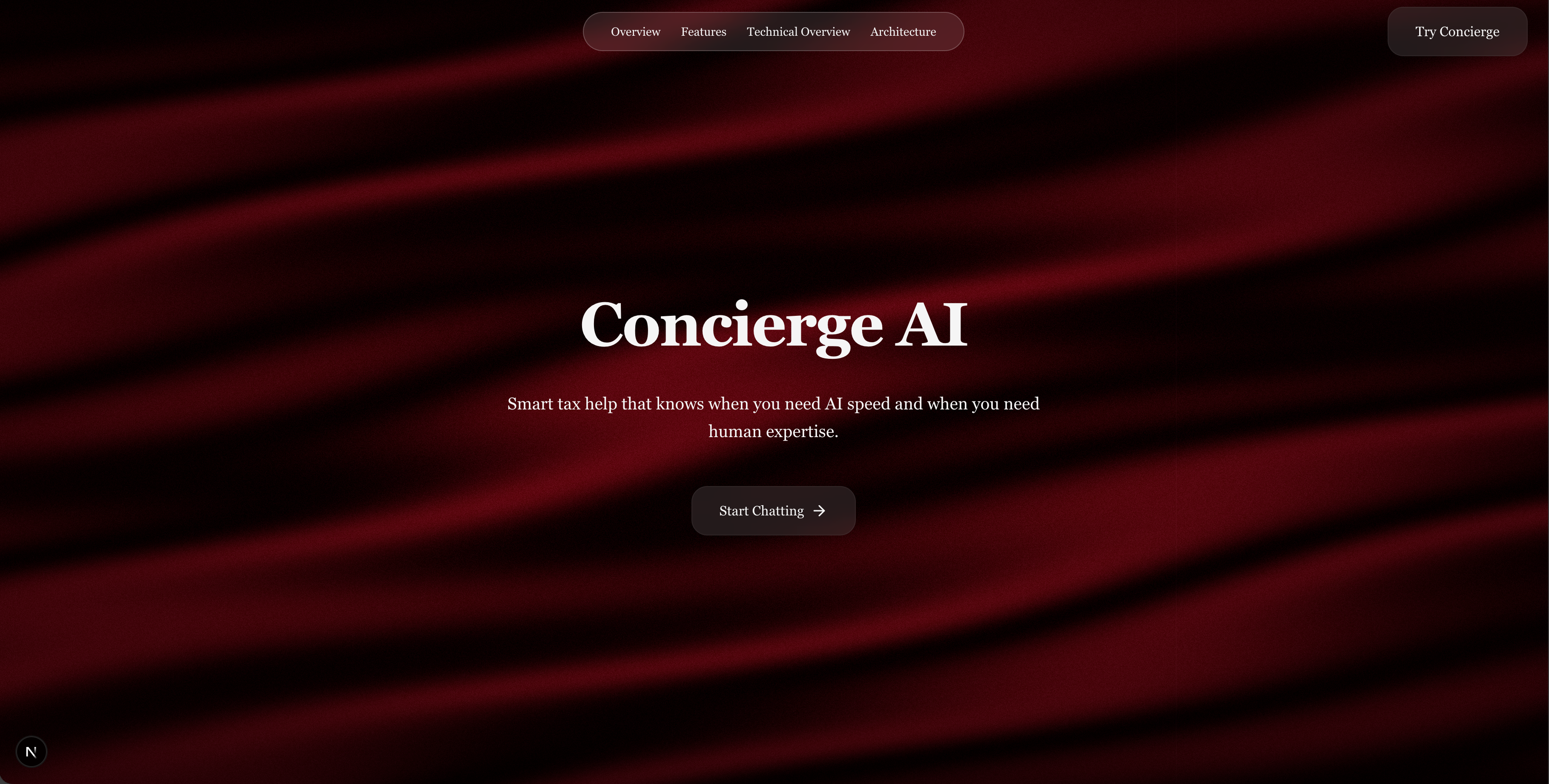
The chat interface uses optimistic updates. When you send a message, it appears instantly before the server responds. This makes the app feel responsive even when the AI takes 2-3 seconds to generate an answer.
I simulated streaming with a typing effect that progressively reveals the AI's response character by character. In a serverless environment, true streaming is tricky, but the typing effect creates the same premium feel.
The Serverless Challenge (And How I Solved It)
Deploying this to Vercel serverless presented three hard problems.
Problem 1: The 250MB Bundle Limit
My initial deployment was 402MB. LangChain and its dependencies (numpy, pandas, SQLAlchemy) added 150MB of bloat.
LangChain excels at multi-step agentic workflows and rapid prototyping across different vector databases. But my pipeline was straightforward: retrieve, rerank, generate. I didn't need a framework for simple prompt formatting.
So I was like:

So I refactored. Replaced ChatPromptTemplate with native Python f-strings:
system_prompt = f"""You are a tax assistant.

Previous conversation:
{conversation_history}

Retrieved Context:
{context}"""
The bundle went from 402MB to 245MB. Cold start time dropped from 3-5 seconds to under 1 second.
Problem 2: Cold Starts
Serverless functions "sleep" after inactivity. Waking them up can take seconds. I solved this with:
- Lazy imports (only load heavy libraries when needed)
- Global state caching using
functools.lru_cache - Pre-warming the embedding model on first load
Result: cold start time under 1 second.
Problem 3: Limited Memory
Vercel functions have 1GB RAM. I couldn't load large ML models locally. Solution: offload embeddings to HuggingFace's API and reranking to Cohere's API. The serverless function only handles orchestration.
The Evaluation: Proving It Actually Works
I measured it using RAGAS.
RAGAS provides five metrics:
- Faithfulness (0.92): Is the answer grounded in retrieved documents? 92% of the time, yes.
- Context Precision (0.57): Are the top-ranked documents most relevant? 57% of the time.
- Context Recall (0.75): Did I retrieve all necessary information? 75% of the time.
- Context Relevance (0.96): Is the retrieved content on-topic? 96% of the time.
- Answer Relevancy (0.81): Does the answer address the question? 81% of the time.
The overall score: 0.8043.
For context, well-optimized RAG systems typically show individual metrics around 0.75-0.85 range. Achieving 0.80+ overall across all five metrics simultaneously is difficult.
For a safety-critical domain like tax advice, Faithfulness matters most. A score of 0.92 means the AI hallucinates only 8% of the time.
Here's what's interesting: when I first refactored away from LangChain, the score actually dropped from 0.78 to 0.74. The refactor removed bloat but didn't improve quality. The quality improvements came from optimizing the retrieval pipeline: increasing the rerank candidate pool from 30 to 50 documents and boosting BM25 weight from 0.6 to 0.65.
Those two changes pushed the score from 0.74 to 0.80.
What Did This Cost?
Zero dollars per month:
- Vercel Hobby Plan: $0
- Supabase Free Tier: $0 (500MB PostgreSQL + pgvector)
- Gemini API: $0 (free quota)
- Cohere Rerank: $0 (1000 requests/month free)
- HuggingFace Inference: $0 (rate-limited but free)
- Groq LLM: $0 (generous free tier)
The only limit is request volume. Once you hit thousands of daily users, you'd need to upgrade. But for a personal project or MVP, this architecture costs nothing.
The Final Architecture
Here's how it all flows together:
User Query
    ↓
Intent Classifier (Gemini) → [simple_tax | complex_tax | urgent]
    ↓
Router → [AI path | Human path]
    ↓
[AI Path]                    [Human Path]
    ↓                              ↓
Query Contextualization      Expert Matcher
    ↓                              ↓
Hybrid Search (50 docs)      Semantic Resume Match
    ↓                              ↓
Cohere Reranking (top 4)     Warm Handover Message
    ↓
Chunk Expansion
    ↓
LLM Generation (Gemini)
    ↓
Citation Cleaning
    ↓
Confidence Scoring
    ↓
Response to User
Every step is asynchronous. Every component has fallbacks. Every metric is measured. kaboom!
The full source code and evaluation framework are on GitHub. If you're building your own production RAG system on a budget, this architecture might give you some ideas.
